
Build a clearer inventory of your infrastructure. Keep equipment information organised so that planning starts with a shared understanding of what is in place.

DATA CENTER INFRASTRUCTURE MANAGEMENT
A clearer picture.
A smarter plan.
DCIM in our cloud.
Organise your infrastructure information, plan rack space, and understand capacity through a cloud-hosted software subscription.
Find your plan Software as a Service · Hosted in HostPalace’s cloud
Cloud-hosted software. No on-premise installation.
DCIM is installed and operated in HostPalace’s cloud. Your subscription provides access to the hosted service; an on-premise software deployment is not part of this offering.
BRING THE DETAILS TOGETHER
From individual assets
to the bigger picture.
Give infrastructure planning a more
organised foundation.
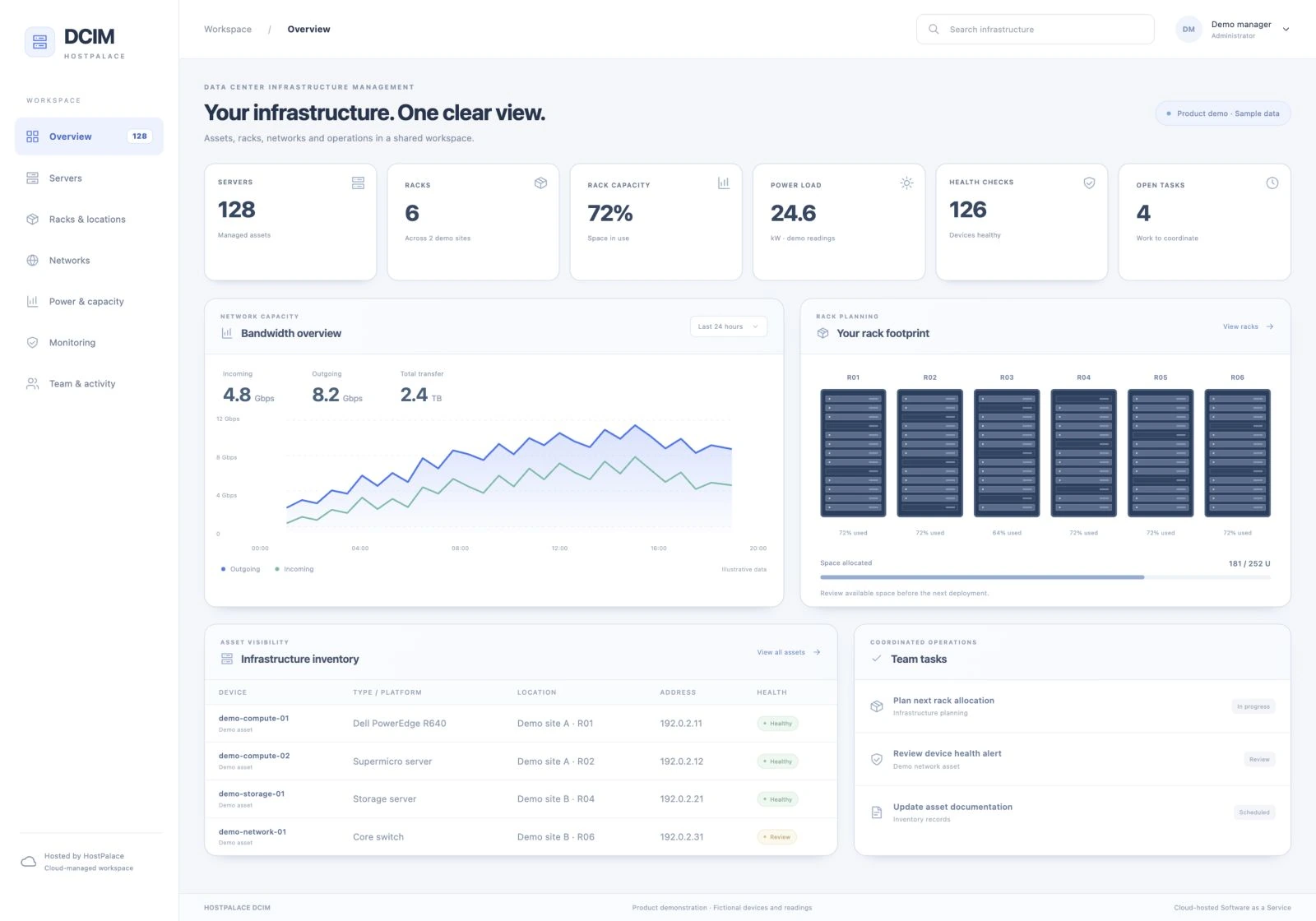
Consider where equipment fits and how rack space is used. Bring placement and capacity considerations into your next infrastructure change.
Review infrastructure requirements alongside your planned growth. Use a structured view of assets and capacity to inform your next deployment.
Bring infrastructure information into a shared working context. Support conversations between the people who plan, manage, and depend on your environment.
DESIGNED FOR INFRASTRUCTURE TEAMS
Keep your focus
on the environment you manage.
DCIM separates the software hosting from the infrastructure you need to organise. HostPalace hosts the application, while you choose a subscription based on your server count.
- Four clear per-server pricing slabs
- Monthly billing with a defined device count
- Enterprise pricing for larger environments
- Orders and invoices in your client area
FROM INVENTORY TO DAILY OPERATIONS
The tools behind your infrastructure.
Connect supported devices and services to bring installation, network and power workflows into your DCIM workspace.
Deploy or reinstall operating systems through a configured provisioning backend. Select an available OS profile and disk layout, then follow installation progress and history.
Manage PTR records for assigned IP addresses through your configured DNS integration. Give authorised customer contacts access to the reverse DNS records for their own services.
Review switch interfaces, link state, speed, port descriptions and server assignments. Use permission-controlled port and VLAN operations on supported switches.
Map server power supplies to rack PDUs and outlets. Review supported current, voltage, power and energy readings, with branch thresholds and power history.
View inbound and outbound traffic for linked ports and customer services. Compare retained traffic history with usage totals and 95th-percentile statistics.
Review traffic consumption within the configured billing cycle, track allowances and quota alerts, and use measured usage to support agreed bandwidth charges and reconciliation.
Operational features are configured during onboarding. Available controls depend on device support, provisioning and DNS connections, collector access and the permissions assigned to your team.
TURN TRAFFIC INTO A CLEARER RECORD
Bandwidth visibility. Billing context.
Keep traffic measurements alongside the service they belong to. Review the reporting period, direction and collection history before using a usage figure for billing.
The DCIM subscription is priced per server. Traffic allowances, overage rates and any billing integration are agreed separately during setup.
Collect & graph
Scheduled collectors retain inbound and outbound interface readings for historical graphs.
Review the billing cycle
Inspect cycle totals, 95th-percentile values, configured quotas and usage alerts for the linked port.
Reconcile the usage
Use the measured period and service ownership to review bandwidth charges through your agreed billing workflow.
DCIM / SIMPLE, DEVICE-BASED PRICING
Start with your servers.
Scale on your terms.
Software as a Service
Hosted in HostPalace’s cloud
Hosted in HostPalace’s cloud
1–10 servers
AED 25
per server / month
- Cloud-hosted SaaS
- Device-based billing
- Monthly subscription
11–50 servers
AED 20
per server / month
- Cloud-hosted SaaS
- Device-based billing
- Monthly subscription
51–100 servers
AED 10
per server / month
- Cloud-hosted SaaS
- Device-based billing
- Monthly subscription
101–250 servers
AED 5
per server / month
- Cloud-hosted SaaS
- Device-based billing
- Monthly subscription
251+ servers
Let’s talk.
A better price for your scale.
- Cloud-hosted SaaS
- Tailored volume pricing
- A proposal for your needs
The rate for your slab applies to every server in your subscription. Prices are per month, before applicable tax. DCIM is installed and operated in HostPalace’s cloud; on-premise delivery is not included.
Your monthly estimateAED 250.0010 × AED 25.00 per server
GOOD TO KNOW
Your DCIM questions,
answered.
How the service is delivered,
priced, and ordered.
Is DCIM installed at our premises?
No. This is a Software as a Service offering, installed and operated in HostPalace’s cloud. On-premise software delivery is not included.
How is the monthly price calculated?
Your server count determines the slab, and that slab’s per-server rate applies to every server in the subscription. For example, 20 servers at AED 20 per server cost AED 400 per month before applicable tax.
What happens above 250 servers?
Request an Enterprise quote through your client account. Our team will prepare a price based on your server count and requirements before issuing an invoice.
How do we place an order?
Sign in to your client area, open DCIM in the service catalog, and enter your server count. Review the calculated subtotal and submit your order. HostPalace reviews the request before issuing an invoice.
How do we pay?
Payment is currently by bank transfer using the instructions and reference on your invoice. Your payment status is updated after receipt is confirmed.
What is needed for PXE, rDNS and device management?
We confirm your supported hardware, provisioning backend, DNS connection, management access and collection schedule during onboarding. OS deployment and device changes remain restricted to authorised users.
Can our server count change?
If your requirements change, contact your HostPalace account administrator to agree the revised server count and billing. Existing orders and invoices keep their original pricing.
TAKE THE NEXT STEP
Your next infrastructure decision.
A clearer starting point.
Explore our expertise, find your cloud software, or manage your existing account.